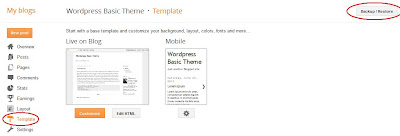
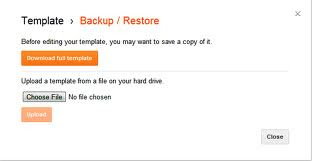
After blogger updated their interface, they added more useful features such as edit Meta tag modify crawlers and indexing, add authors, etc. This post I'm going to show you how to use blogger new crawlers and indexing feature effectively for improve your blogs SEO. Login for your Blogger dashboard and under configurations > search preference you'll find all of the new Search engine optimization options that is added by Blogger team. You need to enable all of the configurations 1 by 1. Here some very useful process I have presented for you.
1. How to Add Description Meta Tag in Blogger Blog:
This is an important part of SEO for Blogspot blog. To finish this perfectly just followmy instruction step by step.
2. How to Add Meta Tag to Blogger Blog:
Meta tags are small html codes which you place in blog html to help search engines to easier index your blog. Put this following 3 lines code after this (<b:include data='blog' name='all-head-content'/>) code. Then Save it.
<meta content='DESCRIPTION HERE' name='description'/>
<meta content='KEYWORDS HERE' name='keywords'/>
<meta content='AUTHOR NAME HERE' name='author'/>
3. How to Setup a Custom robots.txt in Blogger Blog:
Robots are some specific instructions which allow or disallow search engines from crawling a particular page or post on your site. Follow this instruction to setup it.
- Login to your Blogger account.
- Choose your blog.
- Click Settings.
- Click on Search Preferences.
- In Crawlers and indexing You will see Custom robots.txt
- Now click Edit and Select Yes.
- A new text area will come. Put this code in it.
Robots.txt Type 1
User-agent: Mediapartners-Google
Disallow:
User-agent: *
Disallow: /search
Allow: /
Sitemap: http://www.example.com/feeds/posts/default?orderby=updated
Note: Don't forget to change the www.example.com with your blog address or custom domain.
If you want search engine bots crawl most recent 500 posts then you should need to use following robots.txt type 2.
Robots.txt Type 2
User-agent: Mediapartners-Google
Disallow:
User-agent: *
Disallow: /search
Disallow: /b
Allow: /
Sitemap: http://www.example.com /atom.xml?redirect=false&start-index=1&max-results=500
Note:Don't forget to change the www.example.com with your blog address or custom domain.
4. How to Add Custom Redirects in Blogger Blog:
This redirect option is used to redirect a One Page to Another Page. This Redirection is called 302 Temporary Redirection and redirection is sent through HTTP Headers. Add your redirect pages by going to Custom Redirects tab.
Related Search: